Providers · chapters · 03 of 25
Navidrome
Browse and play your Navidrome (or other Subsonic) server: original files, lossless.
facts
- status
- beta
- kind
- source
- on by default
- yes
- needs
- Navidrome or another Subsonic / OpenSubsonic server, User name and password on that server
- platforms
- iPhone, iPad, Mac, Vision Pro, Apple TV, Android, Android TV, Linux, FreeBSD, Windows
Description
Navidrome puts the music of a Navidrome server in Yafmp’s library panel. It works with any server that speaks the Subsonic or OpenSubsonic API, such as gonic or Airsonic. Yafmp asks the server for the original file and plays it as it is, so a FLAC stays lossless. Nothing is transcoded.
The library shows Artists, Recently Added (the newest 100 albums) and Playlists. With more than 150 artists, Artists is split into the server’s own A–Z groups. Search covers artists, albums and songs. Covers come from the server.
When the server sends ReplayGain values (OpenSubsonic), volume levelling uses them.
Requirements
- A Navidrome, Subsonic or OpenSubsonic server that the device can reach.
- A user name and password on that server.
- An address that starts with
https://orhttp://. On Apple, plainhttp://works only for.localnames and IP addresses; use https for anything else. - On Android 16 and later, for a server on your own network: the Nearby devices permission.
Setup
- Open Preferences → Plugins → Navidrome (Apple) or Settings → Navidrome (Android and desktop).
- In Address, enter the https address of your server or reverse proxy, for example
https://navidrome.example.com. On the home network,http://<server>.local:4533also works. - Enter User and Password.
- Choose Save and Connect.
- When the status shows the server’s name and version, the Navidrome rows appear in the library.
Settings
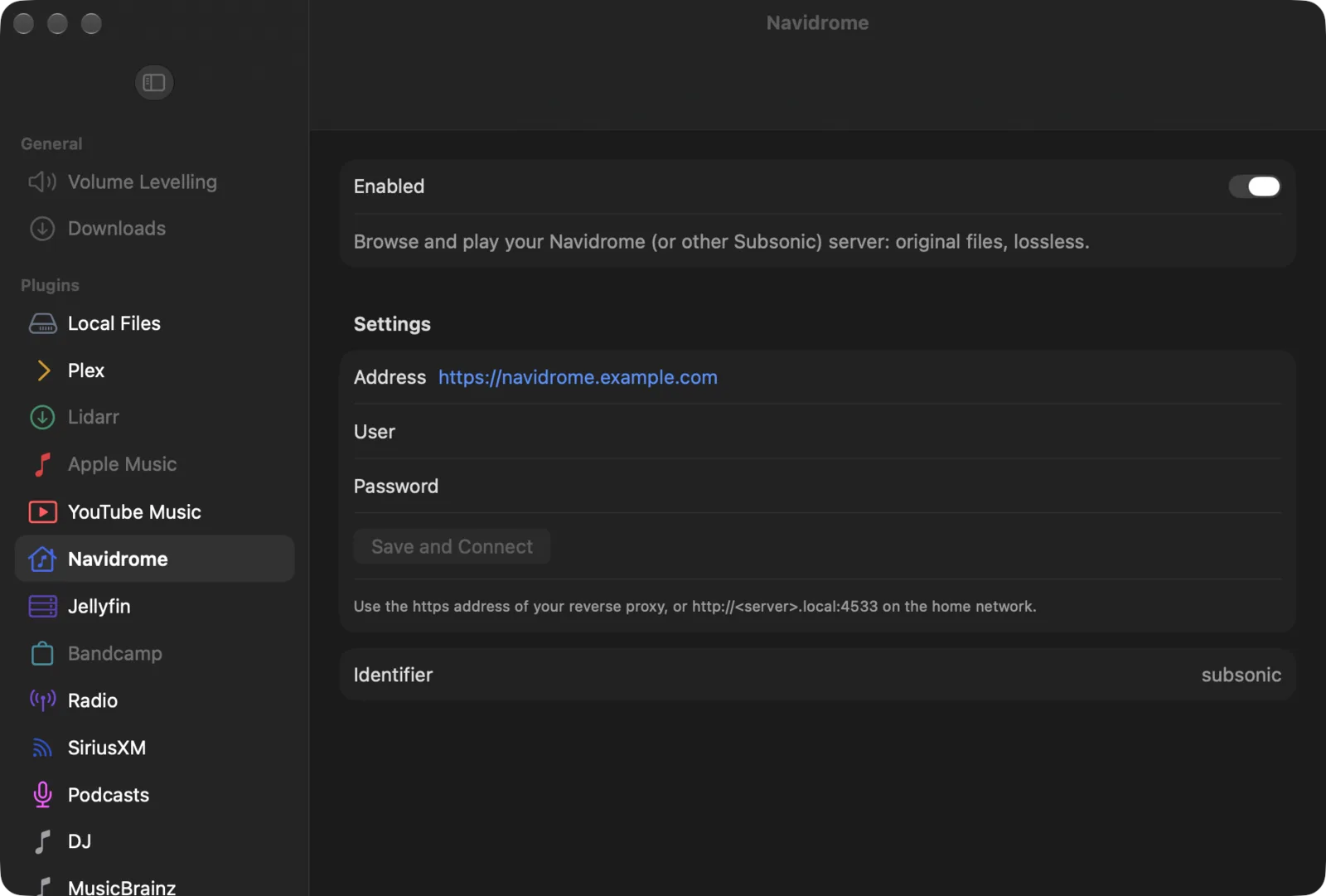
| Setting | Default | What it does |
|---|---|---|
| Address | — | The server’s address, with https:// or http://. |
| User | — | Your user name on the server. |
| Password | — | Your password. Leave it empty to keep the saved one. |
| Save and Connect | — | Saves the three fields and connects. |
| Status | — | Apple: the server’s name and version once connected, or what went wrong. On Android and desktop this is the line Connected to … as …. |
| Change | — | Android and desktop: shows the fields again once connected. |
| Show in the library | all on | Android and desktop: one checkbox per row (Artists, Recently Added, Playlists). |
The password is kept in the system keychain (Apple) or the app’s private storage (Android and desktop). It is never sent: every request carries a one-time salt and a hash of the password with that salt.
On Apple, the address, user name and password are shared with your other Apple devices through iCloud Keychain. A changed address does not replace one that another device already has; change it there too.
Limits
- The library has three rows. There are no genre or decade rows.
- Search returns at most 20 artists, 40 albums and 50 songs.
- Playback is the original file. A file the device can’t decode will not play; there is no fallback to a transcoded stream.
- Yafmp keeps the lists it has loaded until you refresh or reconnect.
- Refresh asks the server to scan for new files. Servers only accept that from an admin user; for other users the lists are just loaded again. Yafmp waits up to 15 minutes for a scan.
Troubleshooting
| Problem | Why | What to do |
|---|---|---|
| “Wrong user name or password.” | The server refused the sign-in | Enter the user name and password again and choose Save and Connect. |
| “The server answered HTTP …” (Apple) | The address reaches something that is not the server’s API, or a proxy is in the way | Check the address. It is the server’s base address, without /rest. |
| The address is refused on Apple | Plain http:// with a name that does not end in .local | Use the https address, or http://<server>.local:4533. |
| “The server’s artist list is empty: run a full scan in Navidrome.” (Android and desktop) | Navidrome’s artist index is empty although it has albums | Run a full scan in Navidrome, then refresh. |
| New albums are missing | Yafmp keeps the lists it has loaded | Right-click (or long-press) the Navidrome heading in the library and choose Refresh. |
| Nothing connects on Android 16 at home | Android drops connections to your own network without the permission | Allow Nearby devices for Yafmp. |