Providers · chapters · 20 of 25
Last.fm
Scrobble what you play to Last.fm, see your listening stats, and play your top charts from your library.
facts
- status
- beta
- kind
- scrobbling
- on by default
- yes
- needs
- Last.fm account, Your own Last.fm API key and shared secret
- platforms
- iPhone, iPad, Mac, Vision Pro, Apple TV, Android, Android TV, Linux, FreeBSD, Windows
Description
Last.fm keeps a record of what you listen to. With this plugin Yafmp does three things.
- Scrobbling. “Now playing” is sent when a track starts. The track is scrobbled once it has played for half its length or four minutes, whichever comes first. This works for every source.
- Stats dashboard. The Last.fm page in the library shows your total listens, a chart of listens over time, your recent listens, and your top artists, albums and tracks for a period you choose, from Last 7 Days to All Time.
- Rows in the library. Recent Tracks, Top Tracks, Top Albums, Top Artists and Loved Tracks. Last.fm has no audio, so these play from your own library.
Yafmp does not ship with a Last.fm key. You create your own, once, for free.
Requirements
- A Last.fm account.
- Your own Last.fm API key and shared secret (see Setup).
Setup
- Go to
last.fm/api/account/createand create an API account. Last.fm gives you an API key and a shared secret. In Yafmp, Get an API key opens that page. - Open Preferences → Plugins → Last.fm (Apple) or Settings → Last.fm (Android and desktop).
- Paste the two values into API Key and Shared Secret and choose Save Key.
- Choose Connect to Last.fm. A Last.fm page opens in your browser.
- Android and desktop: if no browser opened, Yafmp shows the address and a QR code to open it on your phone.
- Approve Yafmp on that page. Yafmp waits up to three minutes, then shows your account.
Settings
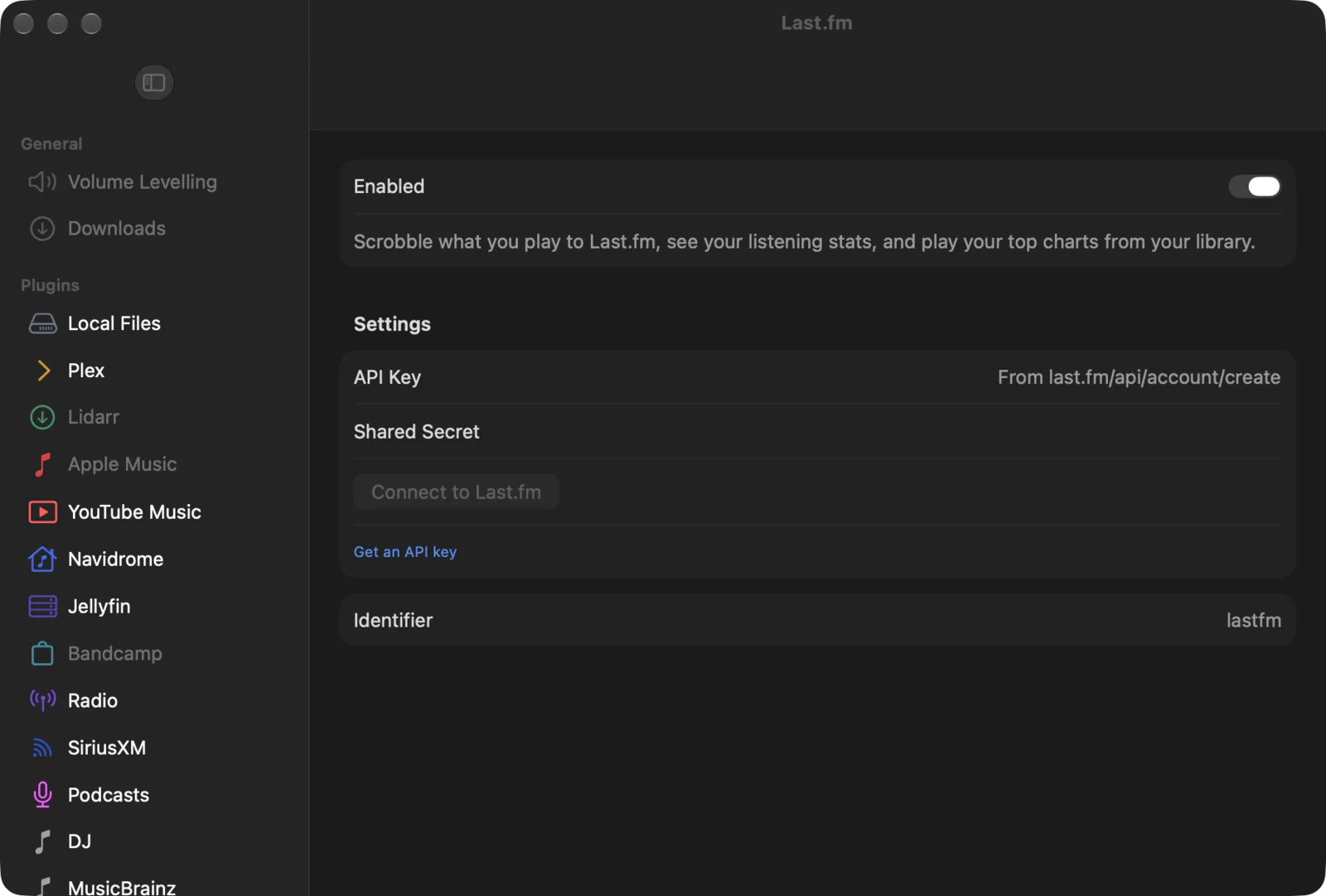
| Setting | Default | What it does |
|---|---|---|
| API Key | — | The API key from your Last.fm API account. |
| Shared Secret | — | The shared secret from the same page. |
| Save Key | — | Stores both. Shown once you have typed them. |
| Connect to Last.fm | — | Opens Last.fm’s approval page and waits for you to approve Yafmp. |
| Get an API key | — | Opens last.fm/api/account/create. |
| Account | — | The Last.fm user you scrobble as. Read-only. On Android and desktop it reads Scrobbling as and the name. |
| Disconnect | — | Signs out and stops scrobbling. |
The key, the secret and the session are kept in the system keychain (Apple) or the app’s private storage (Android and desktop).
Limits
- Tracks of 30 seconds or less are never scrobbled. This is Last.fm’s rule.
- A track with no artist is not scrobbled.
- Radio streams have no length, so they are not scrobbled.
- A track played again by repeat-one is not scrobbled a second time.
- Rows and charts play only what Yafmp can find in your own library. Songs it can’t match are skipped.
Troubleshooting
| Problem | Why | What to do |
|---|---|---|
| “Timed out waiting for approval on Last.fm” | Yafmp was not approved in the browser within three minutes | Choose Connect to Last.fm again and approve it on the page. |
| Connect to Last.fm is greyed out | No API key and shared secret are saved yet | Paste both and choose Save Key. |
| “Couldn’t scrobble (N waiting)” (Apple) or “Couldn’t send (N waiting)” (Android and desktop) | The device is offline or Last.fm can’t be reached | Nothing. The plays are saved and sent with the next one that gets through. |
| A chart panel says “Not calculated yet” | Last.fm returned no listens for that period | Pick another period. |